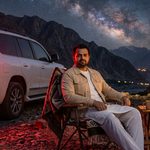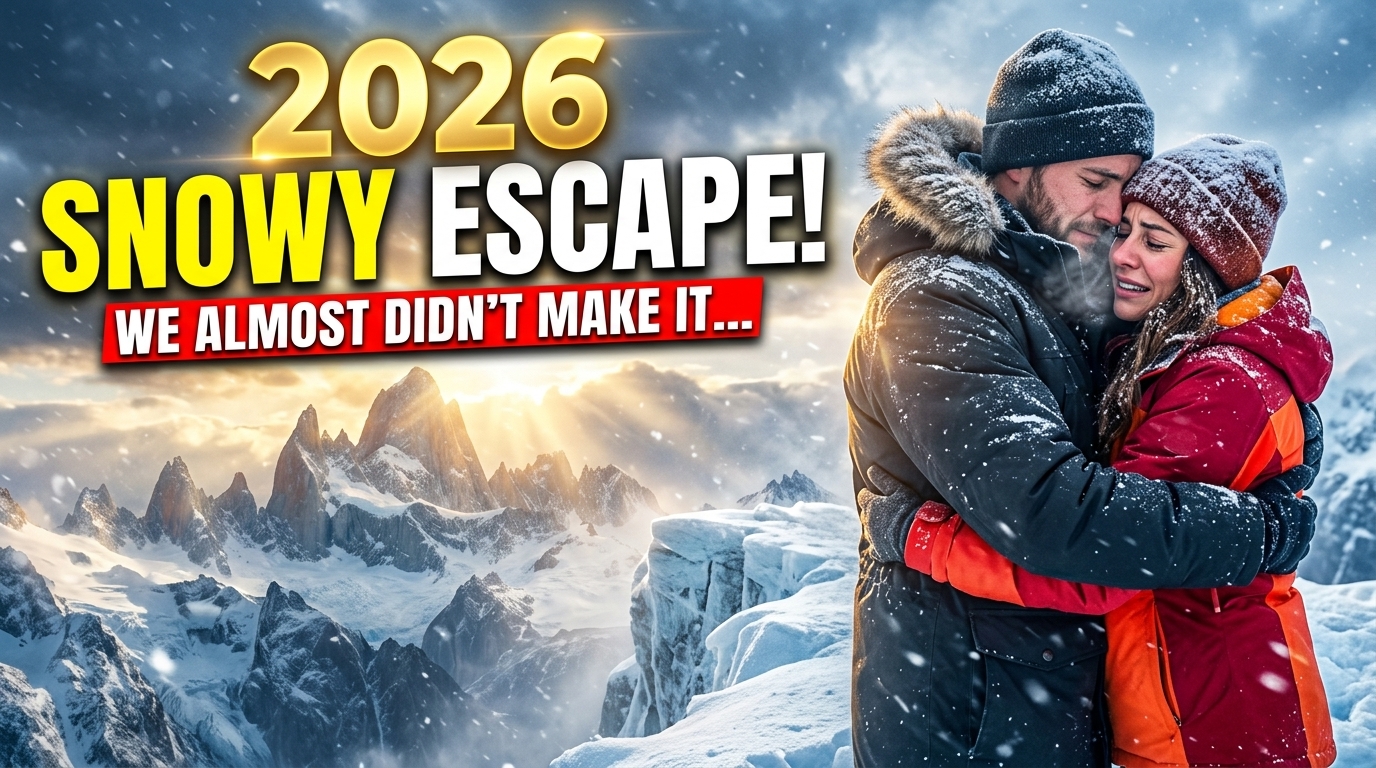
Want a photo of yourself walking through the Himalayas, hiking beneath dramatic peaks or embracing your partner on a snowy mountain? These four mountain AI photo prompts give you a starting point for each scene, including a travel-inspired look for 2027. If you would rather set a still photo in motion, our zombie love story video prompt shows how one portrait can carry a whole short storyline.
Upload a clear reference photo to an image tool that supports reference-based editing, choose a prompt below and describe the lighting, clothing and composition you want. Review the result for facial likeness and realistic details before sharing. For a moodier after-dark take on the walking shot, try our sad night walk prompt beneath cinematic streetlights.
These are creative AI scenes, not photographs documenting an actual trip. The years 2026 and 2027 describe the themes of this guide; adding a year does not automatically improve an image.
How Do You Create a Mountain Photo With AI?
To create an AI mountain photo, upload a clear picture of the person, describe the mountain setting and pose, and ask the tool to preserve their facial features. Include the camera framing, lighting and intended aspect ratio. Generate the image, check its accuracy and request targeted corrections.
Use this simple structure:
Reference person + action + mountain setting + clothing + framing + light + realism instructions.
For example: “Use my uploaded photo as the identity reference. Show me walking on a Himalayan trail in a red hiking jacket, photographed full body with warm morning light and realistic proportions.”
Identity preservation varies between tools and generations. A prompt can request a close likeness, but it cannot guarantee one.
Choose Your Mountain Photo Style
| Scene | Suggested framing | Lighting | Intended use |
|---|---|---|---|
| Man walking in the Himalayan mountains, 2026 | Full body, wide environmental portrait | Warm sunrise | Travel posts and blog images |
| Man hiking in mountains, 1080p, 2026 | Wide landscape with a visible trail | Clear morning | Landscape screens and video backgrounds |
| Couple embracing on a snowy mountain, 2026 | Medium full-body portrait | Soft winter daylight | Couple portraits and social posts |
| Man travelling through mountains, 2027 | Wide cinematic travel portrait | Golden hour | Travel concepts and story visuals |
1. Man Walking in the Himalayan Mountains 2026
For this scene, make the person large enough to recognize while leaving space for the peaks. A visible path, natural walking pose and layered mountain background help communicate the journey.
Copy-and-Paste Himalayan Walking Prompt
Use the uploaded photograph as the identity reference for the man. Preserve his recognizable facial features, skin tone, hairstyle and apparent age as closely as possible. Create a photorealistic full-body image of him walking along a broad Himalayan mountain trail. He wears a deep-red hiking jacket, charcoal trekking trousers, sturdy hiking boots and a small backpack. Capture a relaxed mid-step pose, with his face visible in a natural three-quarter view. Show snow-covered peaks in the distance, rocky terrain nearby and soft mist between the mountain layers. Use warm sunrise light, realistic shadows and a 35mm environmental photography look. Keep the man prominent, with detailed mountains behind him and realistic depth. Portrait composition, 4:5 aspect ratio. Avoid altered facial features, duplicate people, distorted hands, floating feet, text and watermarks.
Customize it: Replace the red jacket with your preferred color. Change sunrise to overcast daylight for softer contrast.
Suggested image alt text: AI-generated portrait of a man in a red jacket walking on a Himalayan mountain trail.
2. Man Hiking in Mountains 1080p 2026
For a wide hiking image, ask for a 16:9 composition. Full HD landscape dimensions are 1920 × 1080 pixels. Writing “1080p” in a prompt expresses your intention; verify the exported file because a tool may generate a different size.
Copy-and-Paste Mountain Hiking Prompt
Use the uploaded photo as the identity reference for the man, preserving his recognizable face, skin tone, hairstyle and apparent age as closely as possible. Create a realistic landscape photograph of him hiking uphill on a broad mountain trail. Dress him in an olive outdoor jacket, dark trekking trousers and hiking boots. Add a properly fitted backpack and two trekking poles held naturally. Photograph him from a front three-quarter angle so his face remains visible. Place him in the right third of the composition, with the trail leading toward rugged peaks and an open valley. Use crisp morning light, realistic rock textures and natural colors. Keep his feet grounded and the poles correctly positioned. Wide 16:9 composition intended for a 1920 × 1080 export, where supported. Avoid extra limbs, duplicate trekking poles, stretched facial features, text and watermarks.
Export tip: Check the downloaded image dimensions. Resize or crop to 1920 × 1080 if necessary, protecting the subject’s face and feet. Upscaling may increase pixel dimensions without recovering missing detail.
Suggested image alt text: AI-generated mountain hiking scene with a man carrying a backpack and trekking poles.
3. Couple Embracing on Snowy Mountain 2026
A snowy couple portrait works best when the embrace is clear and both faces remain visible. Describe where each person’s arms go to reduce awkward hands and overlapping bodies.
Use reference photographs with both people clearly visible, and use images you have permission to edit.
Copy-and-Paste Snowy Couple Prompt
Use the uploaded couple photograph, or the two uploaded individual photographs, as identity references. Preserve both people’s recognizable facial features, skin tones, hairstyles and apparent ages as closely as possible. Create a photorealistic portrait of the couple embracing on a broad, gently sloped snowy mountain viewpoint. The man wears a charcoal winter coat and the partner wears a cream winter coat with a soft scarf. Their arms wrap naturally around each other’s upper backs, with anatomically plausible hands and fingers. Both faces remain visible, with warm, relaxed expressions. Include snow-covered peaks in the background, light falling snow and soft winter daylight. Use realistic skin texture, detailed clothing and a 50mm portrait photography look with gentle background separation. Medium full-body framing, 4:5 portrait composition. Avoid merged faces, overlapping limbs, extra fingers, plastic skin, text and watermarks.
Customize it: Request matching navy coats for a coordinated look, or remove falling snow for a cleaner portrait.
Suggested image alt text: AI-generated portrait of a couple embracing at a snowy mountain viewpoint.
4. Man Travelling Through Mountains 2027
This prompt uses 2027 as a creative travel theme. The visual comes from the landscape, styling and composition rather than the year itself.
For a natural travel-story feel, combine a winding path, a distant village and a small amount of movement in the clothing.
Copy-and-Paste Mountain Travel Prompt
Use the uploaded photograph as the identity reference for the man. Preserve his recognizable facial features, skin tone, hairstyle and apparent age as closely as possible. Create a cinematic, photorealistic mountain travel portrait for a 2027-themed travel story. Show him walking along a broad mountain path overlooking a deep valley, with a small stone village in the distance. He wears a navy travel jacket, beige trekking trousers, sturdy boots and a compact backpack. Capture him in a natural walking pose, looking slightly toward the camera so his face is visible. Add subtle wind movement in his jacket and realistic golden-hour light. Frame the winding path as a leading line, with layered mountain ridges and natural atmospheric haze. Use a 35mm travel photography look, realistic proportions and restrained color grading. Wide 16:9 composition. Avoid futuristic gadgets, invented logos, duplicate people, distorted anatomy, text and watermarks.
Customize it: Change the wide composition to 4:5 for a portrait travel post. Keep the person closer to the camera if facial recognition matters more than the scenery.
Suggested image alt text: AI-generated mountain travel portrait of a man overlooking a valley and distant stone village.
How to Make Your Mountain AI Photos Look More Realistic
Start With a Clear Reference
Choose an image with a sharp face, even lighting and minimal obstruction. Heavy filters and deep shadows can make facial details harder to interpret.
Specify One Clear Action
“Walking along a trail” gives the tool a focused scene. Combining walking, running, posing and looking backward in one instruction can create conflicting results.
Keep Faces Visible
Request a front or three-quarter view. A distant figure may suit a landscape, but it offers less space for recognizable facial detail.
Describe Light Before Adding Effects
Choose sunrise, soft winter daylight or golden hour. Then add mist or snowfall sparingly so the person remains visible.
Correct One Problem at a Time
If the composition works but the hands look wrong, request a hand correction rather than rewriting the entire scene:
Keep the composition and facial appearance consistent. Correct the hands and fingers to look anatomically natural.
If the face has changed, try:
Use the original uploaded photo as the identity reference again. Bring the facial appearance closer to that reference while keeping the mountain setting and clothing consistent.
Results may still vary. Compare each revision with the original photograph.
Frequently Asked Questions
What Should I Include in a Mountain AI Photo Prompt?
Include the person, action, landscape, clothing, framing and lighting. If editing a real person’s photograph, explicitly request preservation of their facial appearance and inspect the output.
Can These Prompts Work Without an Uploaded Photo?
Yes, in a tool that supports text-to-image generation. Remove the reference-photo instructions and describe the person instead. The result will depict a generated person rather than a reliable likeness of you.
Does “1080p” Guarantee a Full HD Image?
No. Landscape Full HD is 1920 × 1080 pixels, but the tool’s output settings determine the actual export. Check the downloaded file’s dimensions.
Can I Create a Vertical Mountain Image?
Yes. Request a 4:5 composition for a portrait post or 9:16 for a tall background. Review the crop so the face, hands and feet remain in frame.
Do I Need to Add 2026 or 2027 to the Prompt?
No. Years can label a creative theme, but they do not automatically improve detail, realism or resolution. Describe the visible style you want.
Should I Tell Viewers the Image Was Created With AI?
Label it as AI-generated when sharing it as a realistic travel scene. This helps viewers understand that the image is a creative edit rather than evidence of an actual visit.
Create Your Own Mountain Portrait
Choose a scene, upload your reference photo and personalize the clothing and lighting. Check the face, hands, shadows and export dimensions before posting. If your next scene swaps peaks for a showroom, our Mercedes car stand prompt turns a single car photo into a polished reveal video.
For more creative ideas, explore PromptBeel and its Photo Prompts collection. The full viral prompts library is worth browsing whenever you need a fresh copy-paste template.