How to Prompt the Car Roof Backflip Video
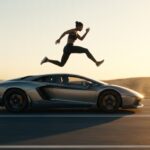
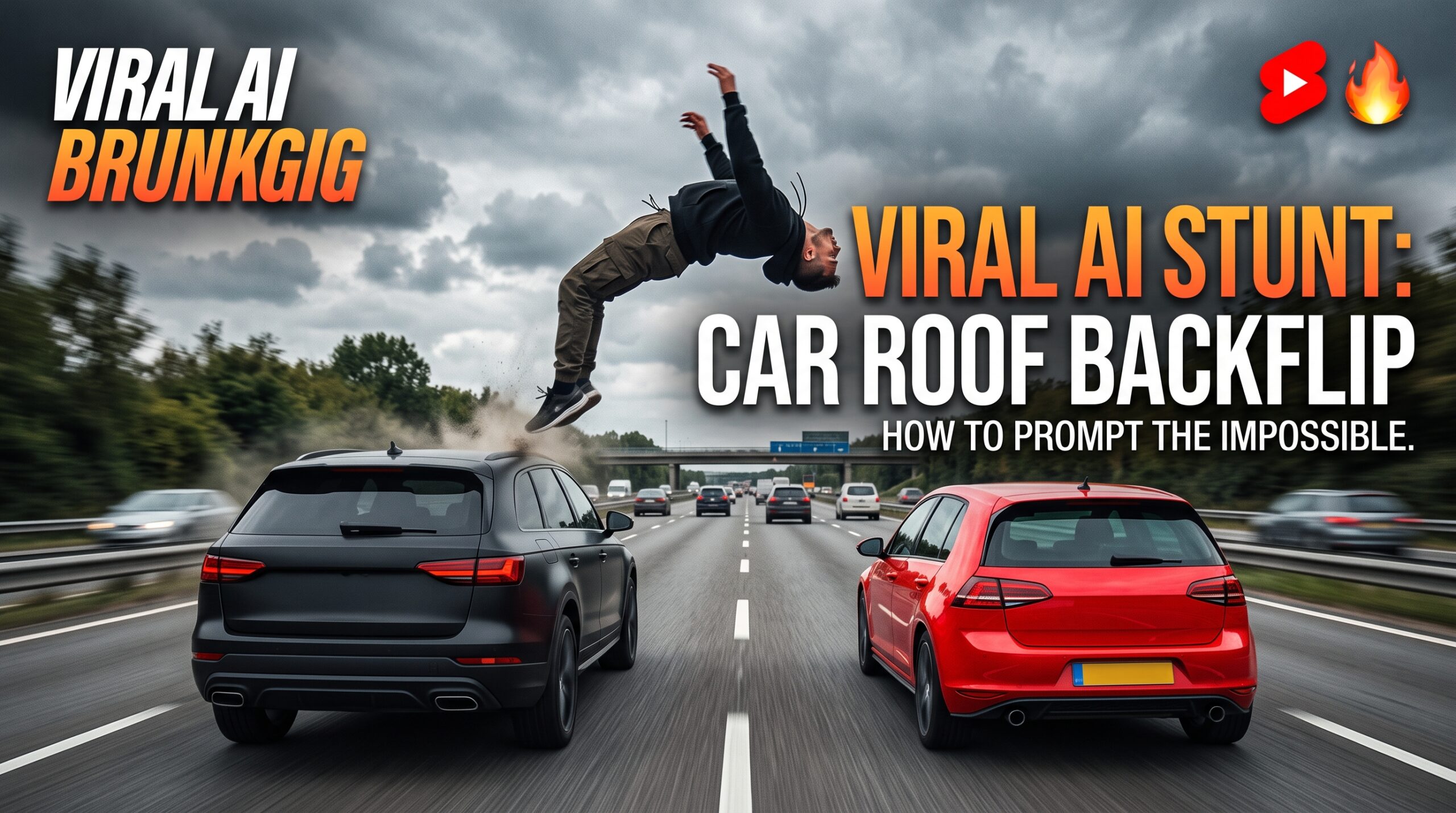
AI video models are redefining what digital stunt coordination looks like. The “Car Roof Backflip” stunt—where an acrobat flips between two moving vehicles at highway speed—is capturing millions of views across TikTok, Instagram Reels, and YouTube Shorts. If you want a shorter, vertical cut of the same idea, follow our viral car jump reel workflow for your next reel.
Generating believable physics between two dynamic objects and an airborne character is notoriously tricky. If your prompt lacks structural framing, the cars will merge, the acrobat will warp into the windshield, or the background motion will turn into a distorted blur.
Below is the copy-paste prompt, an architectural breakdown of why it works, and recommended model settings across top video engines. You will find this stunt and dozens more like it in our viral AI prompts library.
The Master Copy-Paste Prompt
⚡ AI PROMPT
Fine-Tuning Architectural Breakdown
When tweaking this scene for custom variations, break your prompt into these five foundational anchors: The same five layers work for story scenes too, as the zombie love story AI video prompt demonstrates.
| Scene Layer | Prompt Directive | Why It Prevents Glitches |
| Subject | Young man performing an acrobatic roof-to-roof backflip stunt between two moving cars. | Establishes the clear biological subject and separates human mechanics from machine motion. |
| Vehicles | A matte black SUV (left) and a bright red hatchback (right) moving synchronously. | High color contrast (black vs. red) stops diffusion models from blending the two chassis together. |
| Environment | Open multi-lane highway, gray overcast sky, realistic tarmac textures. | Diffused, overcast light removes complex multi-angle harsh shadows, improving temporal coherence. |
| Camera & Motion | Low-angle rear tracking shot maintaining continuous focus on both cars and the jump trajectory. | Eliminates rapid rotational cuts that cause the model to lose track of the jumper mid-air. |
| Aesthetic / Style | Photorealistic cinematic stunt, fast-paced action movie aesthetic, 4K. | Pushes the engine toward realistic motion blur rather than surreal, CGI-glossy animations. |
Best Video Models & Recommended Settings
Generating high-speed, multi-entity physics requires strong motion-tracking capabilities. These settings yield the cleanest results: For a static showcase instead of a moving stunt, try the Mercedes car stand video prompt for a parked-car showcase.
- Kling AI (v1.6 / v2.0):
- Mode: Professional Mode / High Quality
- Motion / Camera: Select horizontal rear tracking or rely on text-prompted camera vectors.
- Tip: Kling excels at human acrobatics and landing foot placement.
- Runway Gen-3 Alpha / Gen-4:
- Motion Brush / Camera Controls: Use fixed backward panning or follow-cam motion.
- Prompt Weight: Moderate (avoid overloading with negative prompts to preserve realistic motion blur).
- Luma Dream Machine / Ray 2:
- Ideal for rapid acceleration sequences. Use the start frame and keyframe features if generating via Image-to-Video.
- OpenAI Sora / Google Veo 3:
- Follows natural spatial language accurately. Paste the full prompt verbatim and specify 60fps output if available.
Pro-Tips for Zero-Distortion Generations
- Avoid Branded Car Names: Specifying “Matte black SUV” and “Bright red hatchback” prevents safety filters from triggering and stops AI from obsessing over specific manufacturer grille geometry.
- Use Image-to-Video (I2V) for Strict Precision: If text-to-video renders messy takeoffs, generate a pristine Midjourney or Flux still of the man standing atop the black SUV first, then feed it into your video model with the motion instruction: “The man launches into a clean backflip landing on the red car beside him.”
- Sound Design (SFX): After generating, add custom Foley: low highway tire rumble, a pressurized stunt jump whoosh, and a metallic roof impact thud. Sound accounts for 70% of perceived realism on short-form feeds.
Car Stunt Prompt FAQs
Which AI video generator works best for this car stunt prompt?
Kling AI (v1.6 / v2.0) in Professional Mode gives the cleanest results — it excels at human acrobatics and landing foot placement. Runway Gen-3 Alpha / Gen-4, Luma Dream Machine / Ray 2, OpenAI Sora, and Google Veo 3 also handle this prompt well.
Why do the cars merge together or warp in my generation?
The prompt is missing structural framing. Break it into five anchors — subject, vehicles (with high color contrast like matte black vs. bright red), environment, camera & motion, and aesthetic. The black-vs-red contrast specifically stops the model from blending the two chassis.
Should I use text-to-video or image-to-video for the stunt?
Use image-to-video for strict precision. Generate a still of the man standing atop the black SUV first (Midjourney or Flux), then feed it into your video model with the motion instruction: “The man launches into a clean backflip landing on the red car beside him.”
What aspect ratio should the video be?
9:16 vertical — the master prompt is built for TikTok, Instagram Reels, and YouTube Shorts.
Why should I avoid real car brand names in the prompt?
Brand names can trigger safety filters, and the model then obsesses over specific manufacturer grille geometry instead of the stunt. “Matte black SUV” and “bright red hatchback” work better.
Do I really need sound design?
Yes. Sound accounts for about 70% of perceived realism on short-form feeds. Add low highway tire rumble, a pressurized stunt jump whoosh, and a metallic roof impact thud after generating the video.