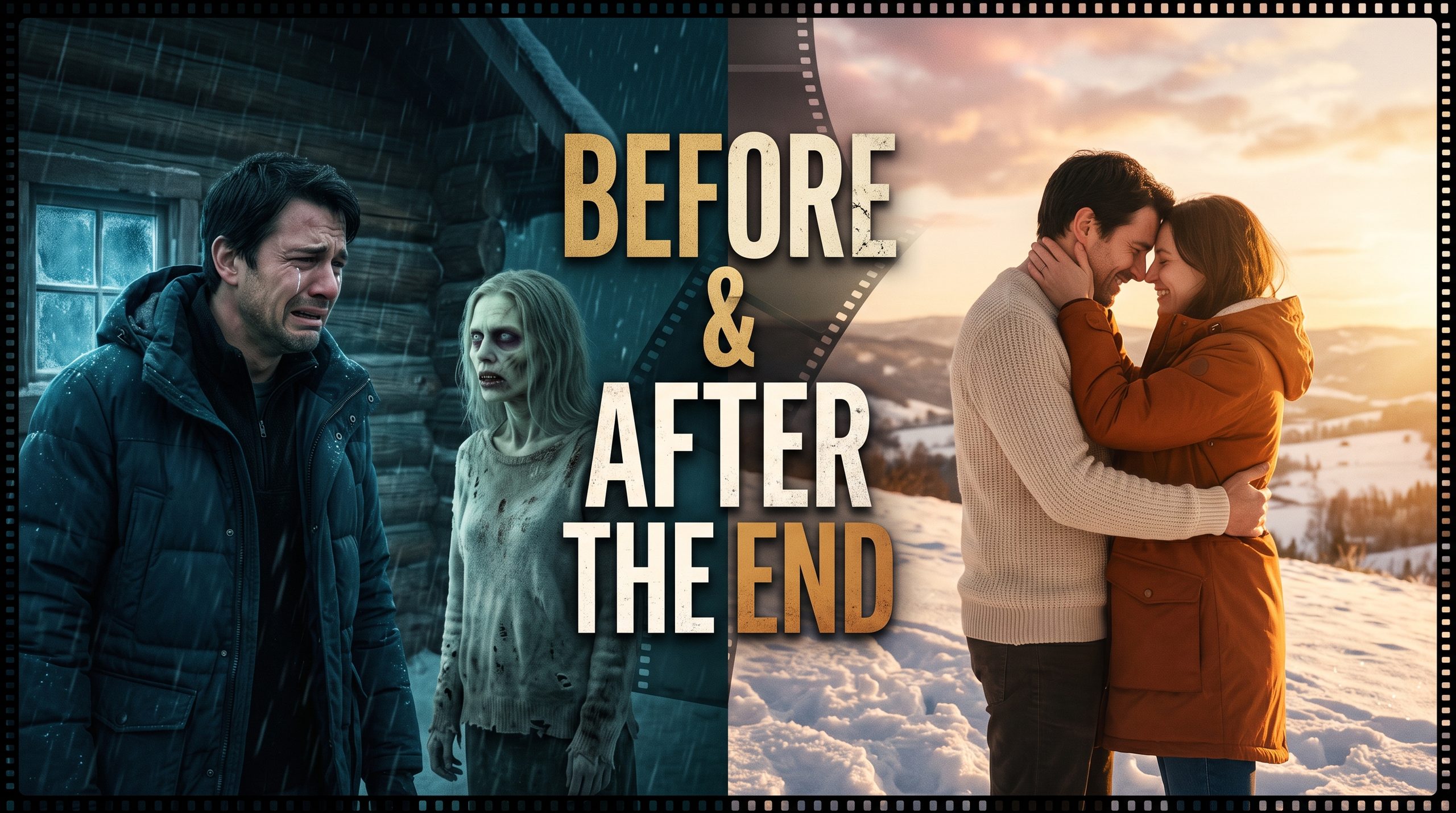
The “Zombie Love Story” trend—often recognized by short-form creators as the viral Choice dynamic—has taken over TikTok, Instagram Reels, and YouTube Shorts. The concept hits the ultimate emotional contrast: a survivor trapped in a grimy, decaying post-apocalyptic room confronting their turned lover, intercut with warm, nostalgic flash-memories of when they were deeply in love. If you prefer atmosphere over horror, our sad night walk video editing prompt builds the same emotional contrast in a quieter scene.
Executing this trend requires precise prompting to handle two completely opposite color palettes, facial states, and lighting conditions without letting the AI model distort either timeline. The same palette discipline carries our mountain AI video prompts, where warm and cool grades keep the two timelines apart.
Here is the complete copy-paste prompt set, visual architecture breakdown, and generation workflow for your AI video toolkit. For one continuous take instead of cut scenes, see how a seamless UGC-style AI video holds identity across a single shot. You will find this prompt set and many more like it in our viral prompts library of copy-paste templates.
The Master Copy-Paste Video Prompts
To achieve the viral emotional impact, run these two complementary scene prompts (or combined transition prompt) in your video model:
⚡ AI PROMPT
Prompt Architecture: Why This Formula Hits the Algorithm
| Structural Anchor | What It Does in the Prompt | Failure Prevention |
| Dual Palette Contrast | Explicitly defines “moody desaturated teal-and-shadow” vs. “warm golden hour lens flare”. | Prevents the model from muddying the memory scenes with horror-grade shadows. |
| Facial & Character Continuity | Maintains identity tags (“young man”, “infected girlfriend”, “same young man and healthy woman”). | Keeps facial likeness stable across the transformation barrier. |
| Pacing / Focal Action | Designates subtle micro-movements (“tearfully holds up hands”, “flicker of recognition”). | Prevents the zombie figure from melting into abstract body horror or wild uncontrollable thrashing. |
| Atmospheric Depth | Adds tangible particles (“dust motes drifting”, “open tall grass with lens flare”). | Bridges temporal coherence across 24-60 fps output. |
Step-by-Step AI Video Editing Workflow
- Base Character Generation (Midjourney v6 / Flux):
- Generate Image 1: The couple happy during golden hour.
- Generate Image 2: The woman’s face transformed with subtle zombie makeup while keeping her underlying facial structure identical.
- Motion Animation (Kling AI, Runway Gen-3/Gen-4, or Higgsfield):
- Use Image-to-Video (I2V) for both scenes rather than raw Text-to-Video. Feed your still images to lock down the exact facial features and stop uncanny drift.
- Set motion sensitivity between 3 and 5; excessive motion will dissolve the facial features into messy artifacts.
- CapCut / Premiere Assembly:
- Alternate between Present (0.8s – 1.2s) and Flashback (0.4s – 0.6s) using quick flash transitions or optical zoom dissolves.
- Apply a heartbeat thud sound effect during the present horror cut and an ethereal muffled reverb drop during the memory frames.
Zombie Love Story Prompt FAQs
How do I generate the zombie love story trend with AI?
Three stages: (1) generate the character stills — the happy couple and the zombie transformation — in Midjourney v6 or Flux; (2) animate them with image-to-video in Kling AI, Runway Gen-3/Gen-4, or Higgsfield; (3) assemble in CapCut or Premiere, alternating present-day horror cuts with warm flashback memories.
How do I stop the AI mixing the horror and memory timelines?
Use the dual-palette anchors: describe the present scene as moody, desaturated teal-and-shadow and the memories as warm golden hour with lens flare. Explicit palettes prevent the model from muddying the memories with horror-grade shadows.
How do I keep faces consistent between the normal and zombie versions?
Generate both stills from the same identity reference, use character continuity tags like “same young man and healthy woman”, and animate with image-to-video rather than text-to-video — stills lock the facial features and stop uncanny drift. Keep motion sensitivity between 3 and 5.
What editing pattern creates the viral emotional effect?
Alternate Present cuts (0.8–1.2 seconds) with Flashback cuts (0.4–0.6 seconds) using quick flash transitions or optical zoom dissolves. Layer a heartbeat thud over the horror cuts and an ethereal muffled reverb drop over the memories.
Should I use text-to-video or image-to-video?
Image-to-video. Feeding your still images into the video model locks down the exact facial features and stops the faces from drifting into artifacts across frames.