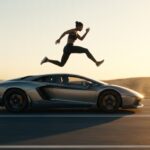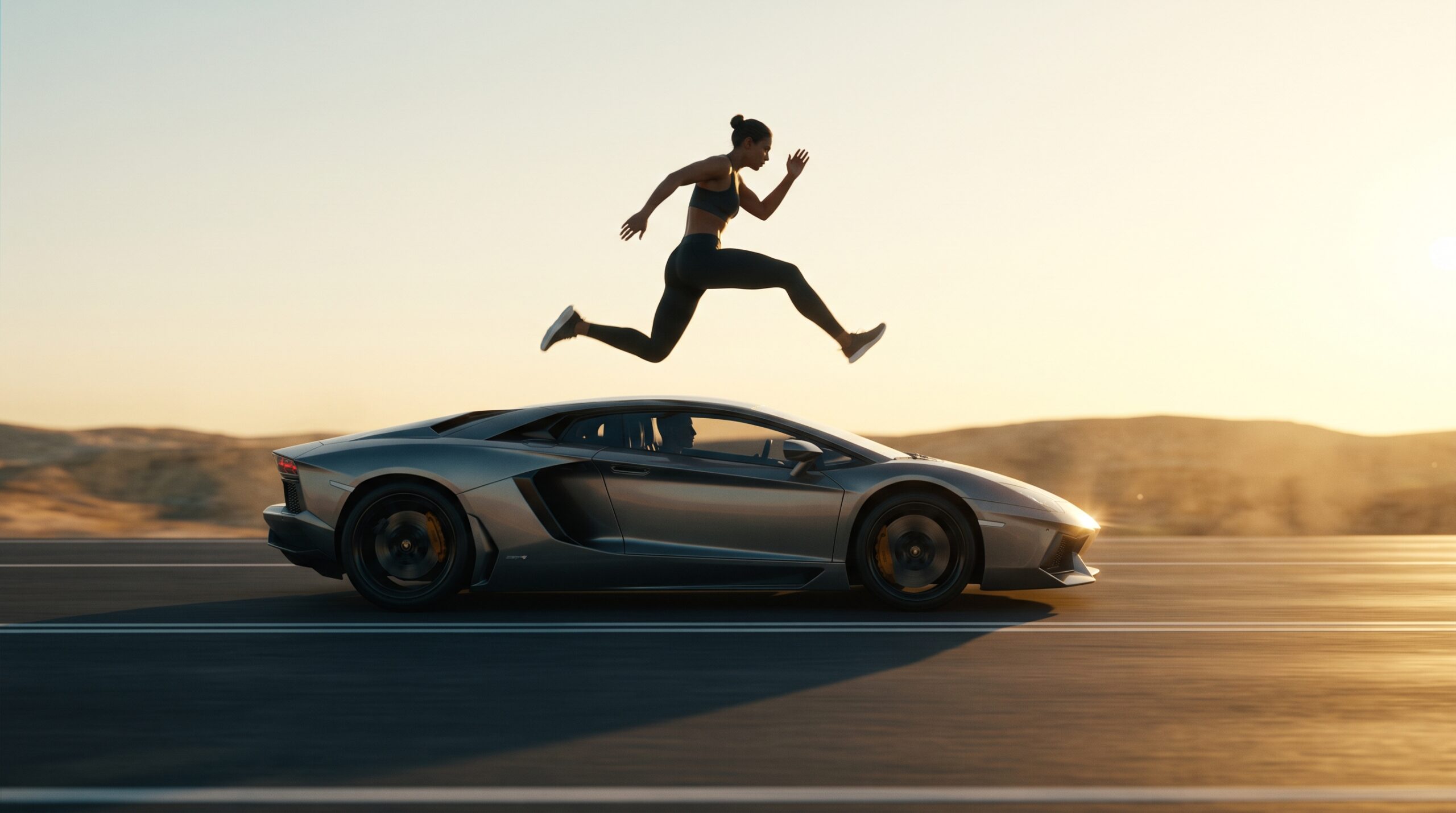
Short-form video feeds are dominated by hyper-realistic, cinematic AI stunts. Among the highest-performing trends is the Viral Car Jump Reel—a clip where a creator appears to leap over a speeding supercar, land flawlessly, and walk away in seamless motion. You will find this reel and more like it in our viral prompts library of trending templates.
Recreating this effect without CGI skills or dangerous stunts requires an exact balance of image-to-video (I2V) reference matching and video-to-video (V2V) motion tracking. Below is the exact prompt architecture, tool stack, and step-by-step workflow to generate this viral reel with zero face distortion. The same architecture powers our car stunt AI video prompt for two-car scenes.
The Master AI Prompt for the Car Jump Reel
When using modern video generators (such as Kling AI, Runway Gen-3, Luma Dream Machine, or Hailuo/Minimax), paste the following structured prompt into the Motion / Video-to-Video prompt field: For a parked-car showcase instead of a jump, try the Mercedes car stand prompt for a static scene.
⚡ AI PROMPT
Key Parameters & Structural Breakdown
| Prompt Component | Function & Technical Role |
| Motion Tracking | Track the exact camera movement, framing, facial expressions, and body movements from the video. Enforces strict structural alignment with the source stunt video. |
| Identity Lock | Keep the face, hairstyle, body, clothing, and overall appearance exactly the same as in the reference image... Prevents character morphing and face shifting across frames. |
| Scene Blend | Use the video's background and environment. Blends your custom subject into the lighting and reflections of the car scene. |
| Aspect Ratio | Output in 9:16 vertical format. Optimizes native display dimensions for Instagram Reels, YouTube Shorts, and TikTok. |
Step-by-Step Production Workflow
1. Source the Base Motion Video
Find or shoot the baseline stunt footage. Many creators download a clean reference clip of the viral car jump stunt (where an athlete or stunt performer jumps over a moving vehicle). Ensure: The same sourcing rules apply to calmer scenes, such as the sad night walk video prompt, where mood matters more than motion.
- The camera movement is smooth (gimbal or static pan).
- The lighting across the subject and vehicle is clear.
- The jump arc lasts between 3 to 6 seconds.
2. Prepare the Reference Image
Take a high-resolution, full-body portrait of yourself or your subject:
- Match the Lighting: If the stunt takes place outdoors in direct sunlight, use a reference photo taken in natural daylight.
- Keep Posture Neutral: A clean, upright, front-facing portrait ensures the AI maps facial landmarks and limb dimensions accurately without distortion.
- Aspect Match: Crop your reference photo to a vertical 9:16 format.
3. Generate via Video-to-Video / Multi-Reference Mode
- Open your AI video platform of choice (Kling AI 1.5/V2, Runway Gen-3 Alpha Video-to-Video, or Luma Ray 2).
- Upload the Stunt Video as your motion source / video guide.
- Upload your Portrait Photo into the Character / Subject Reference box.
- Set the Motion Weight / Structure Fidelity slider to
0.75 - 0.85(high fidelity prevents limb warping while allowing identity transfer). - Paste the prompt above into the generation prompt box and render.
3 Pro-Tips to Prevent Facial Distortion & Warping
- Upscale the Face Separately: If high-speed motion blurs your facial features during the peak of the jump, run the final clip through a video face-enhancer like Topaz Video AI or CodeFormer.
- Lock the Motion Strength: Setting the motion fidelity too high causes the original video’s actor to show through; setting it too low makes the AI lose the jump dynamics. Keep it between 70% and 80%.
- Sync Audio for Algorithm Virality: Pair the completed video with the trending bass-boosted drift phonk or cinematic whoosh sound effect currently trending in the Instagram Audio tab.
Car Jump Reel FAQs
What is video-to-video, and why does this prompt need it?
Video-to-video (V2V) takes a base stunt video as the motion source and transfers your identity onto it. The master prompt combines motion tracking (track the exact camera movement, framing, and body movements) with an identity lock (keep the face, hairstyle, body, and clothing exactly the same) so the jump looks real without face distortion.
Which AI video tools support this car jump workflow?
Kling AI 1.5 / V2, Runway Gen-3 Alpha (video-to-video mode), and Luma Ray 2 all support the multi-reference workflow this prompt uses.
What motion strength setting should I use?
Set motion weight / structure fidelity to 0.75–0.85 (70–80%). Too high and the original video’s actor shows through; too low and the AI loses the jump dynamics and the limbs warp.
How do I stop the face from distorting during the jump?
Three things: a high-resolution front-facing reference photo taken in lighting that matches the stunt scene, the identity-lock line in the prompt, and — if high-speed motion still blurs the face — a pass through a video face-enhancer like Topaz Video AI or CodeFormer.
What reference photo should I upload?
A high-resolution, full-body, front-facing portrait in a neutral upright posture, cropped to 9:16, with lighting matched to the stunt footage. A clean reference gives the AI accurate facial landmarks and limb dimensions.
What audio helps the reel go viral?
Pair the finished clip with a trending bass-boosted drift phonk track or a cinematic whoosh sound effect from the Instagram Audio tab — synced audio is part of what the algorithm rewards.