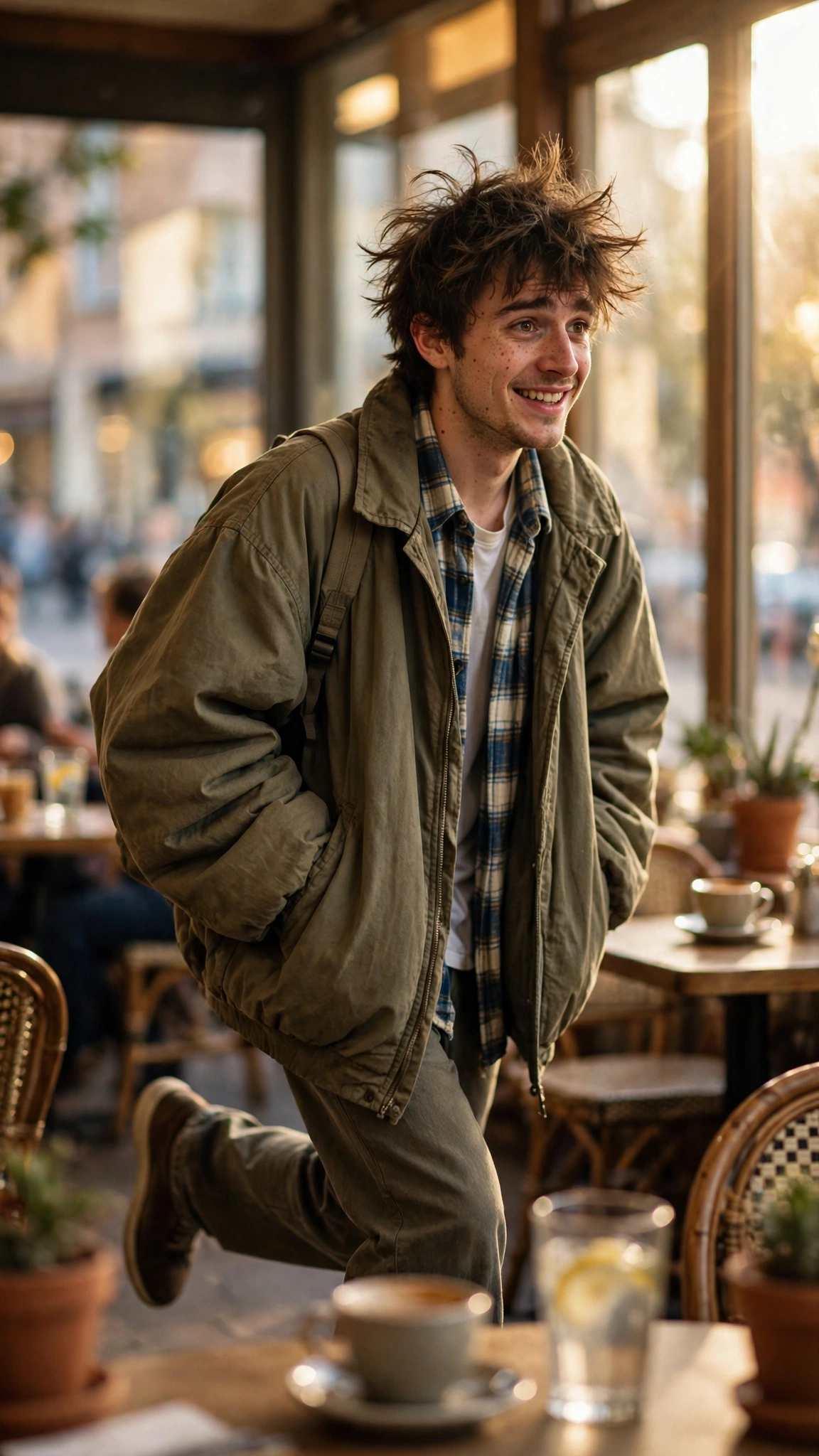
Frank showed up out of nowhere and now he’s all over your feed. A goofy character with messy hair and an oversized jacket, a deadpan face, a scene that looks like it cost a film crew — and the whole thing started from one photo and a prompt.
The trend is simple at its core. You take a clear photo, feed it to an AI video tool like Google Flow, and Frank does the acting for you. Below you’ll find the full master prompt, a short version for free tools, and the exact steps to get a clean result on the first try.
What you need
- One clear, front-facing photo — good light, both eyes visible, no sunglasses
- Google Flow, or any image-to-video tool that takes a reference photo
- CapCut or VN on your phone for the final audio sync
- The trending sound saved from the original reel (you add it after — AI tools don’t add the song)
The viral Frank AI video prompt
Copy the whole block below and paste it straight into your video tool. Swap nothing except the photo.
Turn the uploaded photo into Frank, a funny, slightly awkward young man with messy hair and an oversized jacket. Keep the face from the photo exactly the same in every scene — same eyes, same smile, same hairstyle. Vertical video, 9:16, 9 seconds, warm realistic lighting.
Scene 1 (0–3 seconds): Frank walks into a sunny street café, spots the camera, and freezes mid-step with a nervous grin. Camera: slow push-in, eye level, medium shot.
Scene 2 (3–6 seconds): Frank tries to act cool, leans on a table, and knocks over a glass of water — then catches it at the last second. Camera: slight handheld wobble, keep Frank centred.
Scene 3 (6–9 seconds): Frank shrugs at the camera, gives a cheeky thumbs-up, and walks off as the café crowd laughs. Camera: gentle pull-back, warm afternoon light.
Strict rules: use only the uploaded photo’s face, no face change, no extra fingers, no distorted hands, no text, no watermark, no lip-sync, no new characters. Same outfit and hairstyle in all three scenes. Smooth, natural motion only.
Short version for free tools
Free tools often cap prompt length, so here’s a tight version that still holds up:
Turn my photo into Frank, a funny awkward guy in an oversized jacket, walking into a street café. He freezes with a nervous grin, knocks over a glass and catches it, then shrugs and gives a thumbs-up. Keep my face exactly the same, no text, no watermark, 9:16 vertical.
How to make your Frank AI video
- Open Google Flow, start a new project, and pick image-to-video.
- Upload your clearest front-facing photo. A straight-on shot with even light beats a moody side profile every time.
- Paste the master prompt above into the prompt box.
- Set 9:16 vertical and 8–10 seconds, then hit generate.
- Watch the first result all the way through. If the face drifts, regenerate with the same photo — don’t swap photos mid-run.
- Download the muted clip, open CapCut or VN, add the trending sound, trim it to the beat, and export.
Fixes when it goes wrong
Face keeps changing between scenes? Your photo is probably the problem. Use one with both eyes visible, even light, and nothing covering the face. Side profiles drift fast, so stick to front-facing shots.
Weird hands or extra fingers? Keep Frank’s hands simple. A thumbs-up, a shrug, catching a glass — that’s it. The more a prompt asks hands to do, the stranger they get.
Video looks too smooth or floaty? Shorten the action list. One clear action per scene beats three rushed ones, and the motion reads as real instead of dreamy.
Sound out of sync? Add the song in CapCut after the video is done, not before. AI tools generate muted clips, so the audio always goes on last.
Hitting a free-tool limit? Use the short prompt. It drops the camera notes but keeps the face rules, and that’s the part that matters most.
More prompts people are copying right now
If Frank worked for you, these are the next ones to try — same copy-paste style, same one-photo setup:
- All Latest Viral Prompts: Copy Paste in One Click
- Wedding Couple AI Photo Prompts: Turn One Photo into a Royal Wedding Portrait
- Viral Cute Transition AI Video Prompt: Outfit-Change Spin from One Photo
- Birthday AI Photo Editing Prompts: Turn One Selfie into a Cake-and-Balloons Portrait
Frequently asked questions
What is the viral Frank AI video trend?
It’s a short AI video trend built around Frank, a funny fictional character with messy hair and an oversized jacket. Creators turn one photo into a 9-second café scene where Frank freezes, fumbles a glass, and shrugs at the camera. The clip is made in an image-to-video tool like Google Flow, then posted with a trending sound.
Which tool do I need to make a Frank AI video?
Google Flow works best because it holds a reference photo steady across scenes. Free image-to-video tools can work too — use the short prompt in this post and keep the scene to one or two actions. Whichever tool you pick, add the trending sound in CapCut or VN afterwards, since AI tools don’t add songs.
Why does Frank’s face change between scenes?
Face drift usually comes from the photo, not the prompt. Side profiles, shadows across one eye, or sunglasses make the tool guess, and every guess looks a bit different. Use a clear front-facing photo with even light, and keep the same photo for every regeneration instead of swapping it.
Can I make a Frank AI video for free?
Yes. The short prompt in this post is built for free image-to-video tools, and CapCut and VN both have free plans for adding the sound and trimming the clip. Free tools sometimes cap length or add a watermark, so export at the highest quality they allow and crop carefully.