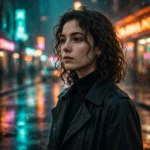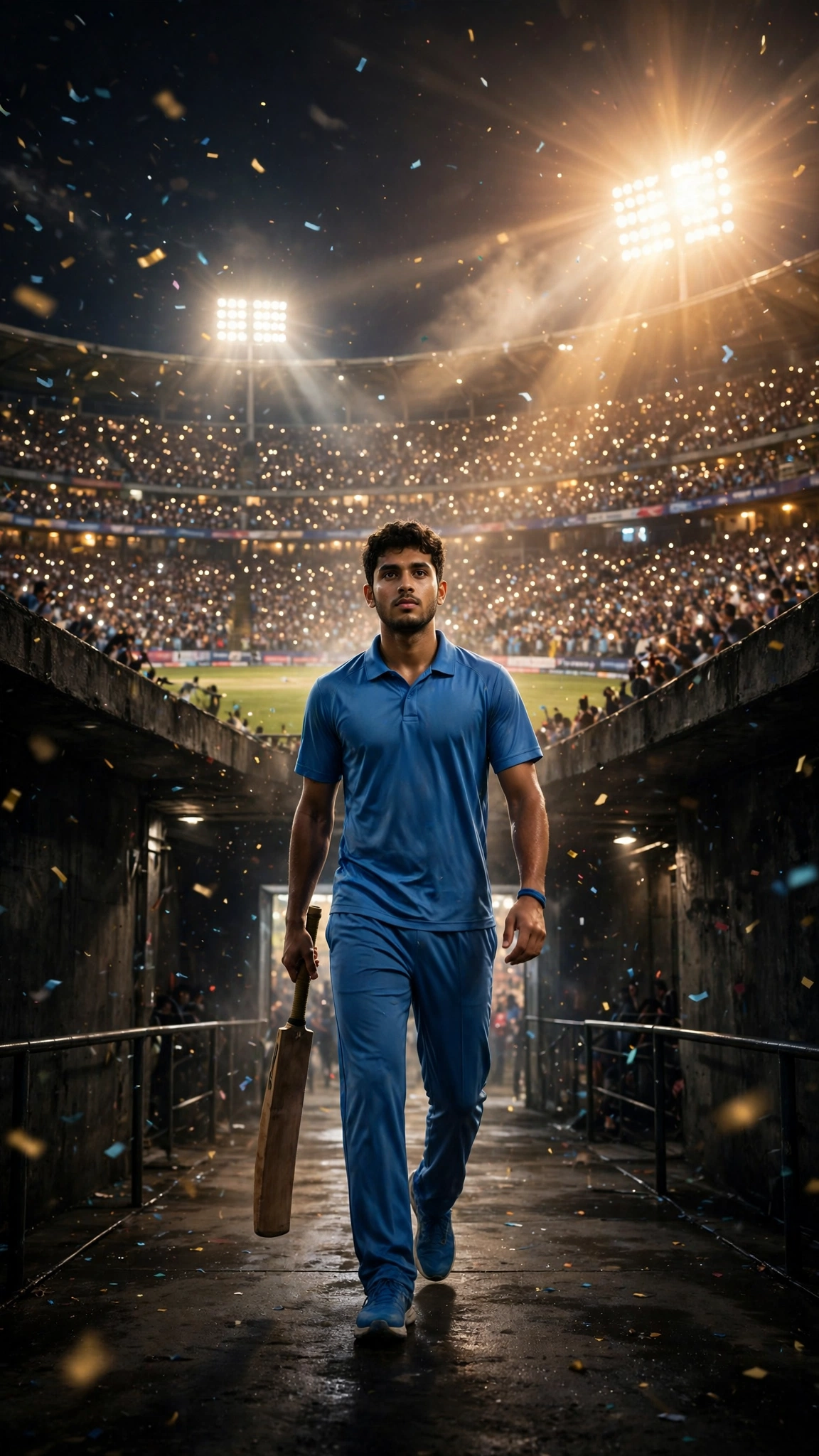
The tunnel walk. Every cricket fan knows the shot — a player comes out of the dark, the crowd goes off, floodlights everywhere, and the whole thing feels like a final. That exact scene, made from people’s own photos, has taken over my Shorts feed this week. Everyone wants their ten seconds of looking like they open the batting.
No stadium required, obviously. It’s a photo-to-video job, one prompt, a few minutes in Gemini or Kling. I ran it through both; the version below is the one that kept the face steady and the jersey clean, and there’s a shorter cut underneath for the free tools.
What you need
- One clear photo — front-facing, good light, head and shoulders or full body both work
- The Google Gemini app (Veo) or Kling
- A couple of minutes, and a bit of patience for the render queue
The master prompt
Paste it whole. The scene split is what makes the walk feel like a walk instead of a slideshow.
Use the uploaded photo as the only reference for the person’s face and identity. Vertical 9:16 video, 10 seconds, photorealistic, night match atmosphere under floodlights.
Scene 1 (0–3s): Back view. The person, wearing a plain cricket jersey in one solid colour (no logos, no team name, no sponsor marks), walks through a dark stadium tunnel holding a cricket bat loosely in their right hand. Bright white light glows at the end of the tunnel.
Scene 2 (3–6s): They emerge from the tunnel into a packed, floodlit cricket stadium. Thousands of tiny phone lights twinkle across the stands, a light drift of confetti falls through the air, and the floodlights flare softly into the lens.
Scene 3 (6–10s): Slow motion. They walk toward the pitch, tap the bat once on the ground, then look up directly into the camera with a calm, confident expression while confetti keeps falling.
Camera: starts behind at shoulder height and follows smoothly, then eases around to a low front angle for the final look. Steady, cinematic, no shake.
Strict rules: keep the exact face from the uploaded photo — no face swap, no drifting features. Generic plain jersey only: no logos, no brand marks, no team names anywhere. No text, no watermark. No lip-sync; the person does not speak. Realistic motion and a realistic crowd — nothing cartoonish.
Short version (for Kling and free tools)
Photo to video, 9:16: a cricketer in a plain jersey walks out of a dark stadium tunnel into a packed floodlit stadium, crowd phone-lights everywhere, confetti falling, slow-motion walk to the pitch, taps the bat once, looks at the camera. Keep the face exactly the same. No logos, no text, no watermark.
How to make it
- Open Gemini and choose video generation, or open Kling’s image-to-video.
- Upload the photo before pasting anything. The reference needs to be in place first.
- Paste the master prompt with the scene timings left in — they pace the tunnel exit, which is the whole clip.
- Generate. Evening renders queue up; everyone else is making theirs at the same time.
- Download the clean file where the tool allows it, instead of screen-recording the preview.
- Add the trending stadium crowd audio inside the Instagram or TikTok editor. The AI tool doesn’t add music. The roar swelling right as the tunnel exit hits is what sells the scene, so line that moment up with the audio’s peak.
Fix these before you re-generate
- Face morphs on the final look-up. That turn to camera is the hardest frame in the clip. Keep it short — the prompt already limits it to one look — and use the sharpest front photo you have. Blurry in, wobbly out.
- A random badge appears on the jersey. Tools invent logos constantly; it’s their favourite hobby. Repeat “plain jersey, no logos” (it’s in there twice for a reason), and if a fake badge still shows up, re-roll rather than trying to patch it.
- Crowd looks like soup. Ask for texture, not people: “tiny phone lights in the stands” renders beautifully, while “detailed crowd faces” melts into something haunted. Keep faces out of the crowd entirely.
- The walk floats or marches like a robot. “Slow motion” plus a natural walking pace in scene 3 fixes most of it. And don’t add running, jumping or celebrating — extra actions are where the legs stop making sense.
- Bat vanishes or doubles. Mention it once in scene 1 and once in scene 3, same hand both times (“right hand”). Vague props get forgotten; specific ones survive.
More prompts people are copying right now
- All Latest Viral Prompts
- Viral Coffee Couple AI Trend
- Viral Car Jump Reel Prompt
- Zombie Love Story Prompt
FAQ
Which tool is actually free for this?
Gemini includes a limited batch of free video generations on most accounts — enough for this clip plus a retry. Kling’s free tier works as well; you spend credits that refresh, and the trade-off is a slower queue. The prompt runs the same on both.
How long does the whole thing take?
Two minutes to set up, a few minutes to render. Realistically, ten minutes from photo to a version you’d post, because there’s usually one re-roll in there somewhere. The bat and the jersey badge are the usual culprits.
Why did the face change?
The reference photo, most likely: an angle, a filter, sunglasses, or one side of the face in shadow. Use a plain, front-facing, well-lit shot. It also helps to keep the person’s movement simple — this prompt sticks to walking for exactly that reason.
Can I use this with a couple or a friend’s photo?
Yes — two people walking out side by side works. Change scene 1 to “two players walk through the tunnel” and describe both plain jerseys. Just know one face holds up more reliably than two; if one of you morphs, that’s the render lottery, not your photo.