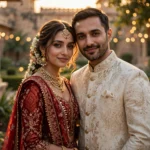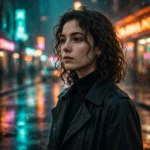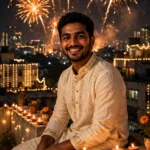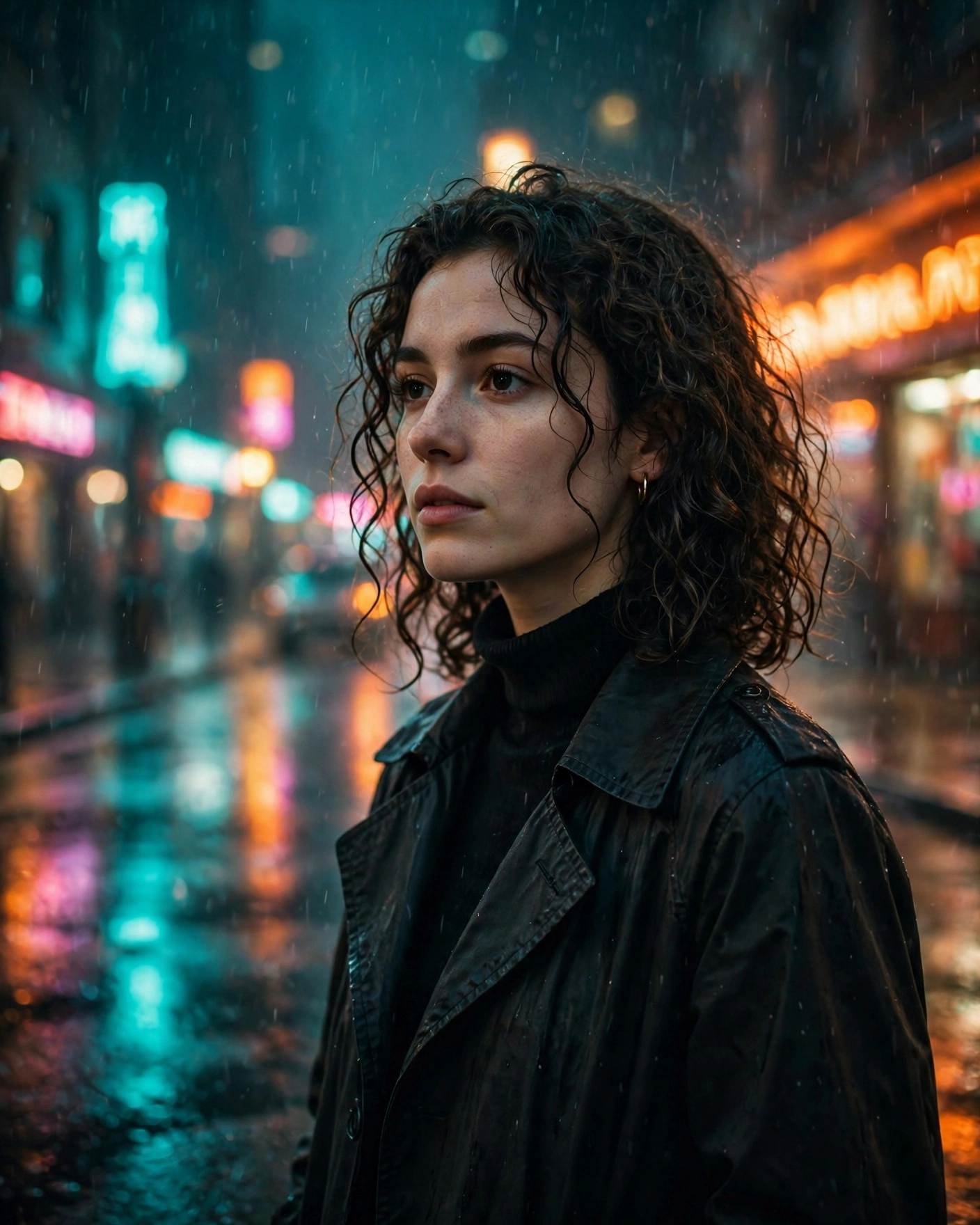
You know the photos I’m talking about. A normal guy, normal face, zero budget — standing in the pouring rain under neon signs like he’s the lead in a thriller that hasn’t released yet. That photo started as a bathroom selfie. I know because I’ve made about forty of them.
Background swaps are the single best use of AI photo editing right now, because the face does all the heavy lifting. Keep the face real, put it somewhere expensive, and the brain just accepts the whole thing. Here’s the exact setup I use, plus the three scenes that have never once flopped for me.
What you need
Short list, same as always:
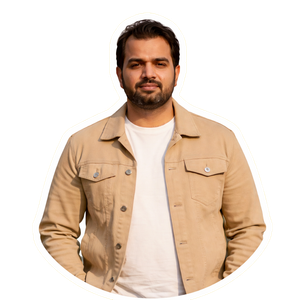
- A sharp, front-facing photo of yourself — daylight if possible, face taking up a good chunk of the frame
- The ChatGPT app, signed in, with photo upload
One warning before we start. If the light on your face in the original photo is flat indoor yellow, and the scene you drop yourself into is moody blue rain, it will look pasted. The edit tries to fix the lighting for you, but it can’t perform miracles. Bright, neutral light on your face. That photo. Every time.
The prompts
Prompt 1 — Rainy Neon Street
Edit this photo into a cinematic movie still, vertical 9:16. Keep my face 100% identical — same features, same skin tone, same hairstyle, no face change, no beautifying. Place me standing on a rain-soaked city street at night, wearing a dark wet-look jacket with the collar up. Neon signs in pink and cyan glow on both sides of the street, their colours reflecting in the wet pavement around my feet. Light rain visible in the air, fine mist, a few blurred pedestrians with umbrellas far in the background. Teal and orange colour grade, deep shadows, realistic water droplets on my jacket and hair, natural skin texture, shot like a frame from a neo-noir film. No extra fingers, no distorted hands, no readable brand logos, no text, no watermark.
Prompt 2 — Golden-Hour Rooftop
Edit this photo into a cinematic golden-hour portrait, vertical 4:5. Keep my face exactly the same — identical face structure, skin tone and hairstyle, do not alter my face at all. Place me on a high-rise rooftop terrace at sunset, leaning lightly against the railing, wearing a light linen shirt with sleeves pushed up, a gentle wind moving the shirt and my hair. Behind me a full city skyline in warm haze, the low sun creating a golden rim light around my head and shoulders, soft lens flare at the frame edge. Warm backlight on my face balanced with natural fill, realistic skin with visible texture, shallow depth of field, calm confident expression kept from the original photo. Photorealistic, like a film poster shot. No extra fingers, no warped railing lines, no text, no watermark.
Prompt 3 — Old-Town Cafe Window
Edit this photo into a vintage film-style portrait, vertical 4:5. Preserve my face exactly — same features, same skin tone, same hairstyle, absolutely no face change. Show me seated inside an old-town cafe beside a large window, wearing a brown corduroy jacket over a plain tee, a cup of coffee on the wooden table in front of me. Outside the window, a cobblestone street and old European-style buildings in soft blur, a bicycle leaning against the wall. Soft natural window light falling across one side of my face, gentle shadows, subtle film grain over the whole image, slightly faded warm colour palette like 35mm film, quiet thoughtful mood. Natural skin texture, photorealistic. No extra fingers, no distorted cup or hands, no text, no signage with readable words, no watermark.
How to use it
- Open a new chat in ChatGPT. Fresh chat, always — you don’t want yesterday’s instructions bleeding into today’s edit.
- Tap the + button and upload your photo.
- Paste one prompt underneath it. The whole thing, including the boring negative instructions at the end. Those lines earn their keep.
- Generate, then zoom in. Really zoom. Check your eyes, your hairline, your hands — in that order.
- Face looks like your cousin instead of you? Regenerate. Don’t describe your own face back to it, that never ends well.
- Want it moodier? One change per message: “same scene, darker shadows.” Small nudges, not rewrites.
- Save the original download. Screenshots crush the quality and it shows the second you post.
Prompts not working? Read this
Lighting mismatch is the killer. Your face lit from the left, scene lit from the right — instant fake. Pick scenes whose light roughly matches your selfie, or flip your photo horizontally before uploading. Thirty seconds, fixes more than any prompt tweak.
Stop re-rolling ten times. First generation is usually the best face match. The more you regenerate, the more the face wanders. Roll once, maybe twice, then change one word in the scene instead.
The grade makes the scene. If a result looks clean but boring, the colour grade line is what you edit — “teal and orange”, “faded film tones”, “warm golden grade”. Ask for the grade by name. It changes the entire photo more than any new location does.
Keep the outfit description short. Long wardrobe lists fight with the face instructions and the edit starts prioritising the wrong things. Jacket, colour, done. It’ll handle the rest.
Plain backgrounds in your selfie work better. A messy bedroom behind you gives the edit more to clean up and more chances to smear your edges. Stand against a plain wall, take the selfie, thank yourself later.
More prompts people are copying right now
- All Latest Viral Prompts
- Viral Coffee Couple AI Trend
- Viral Car Jump Reel Prompt
- Zombie Love Story Prompt
FAQs about cinematic portrait prompts
Why does my edit look pasted on instead of natural?
Lighting, nearly every time. If the direction or colour of light on your face doesn’t match the new scene, your brain spots it instantly. Use a selfie with soft, neutral light, and let the prompt’s grade line do the matching work. A plain background in the original helps more than people expect, too.
Which ratio should I use — 9:16 or 4:5?
9:16 if the photo is headed for Reels, Shorts, or a story — it fills the whole screen. 4:5 is the better Instagram feed crop and it’s kinder to portraits, since less of the top and bottom gets stretched into scene. The prompts above are marked; you can also just swap the ratio line and regenerate.
Can I use my edited portrait as a profile picture?
Sure, people do it constantly. Just crop tighter on the face after generating — profile pictures are tiny, and a face that fills the circle reads far better than a full movie scene shrunk down. The neon rain one, cropped close, genuinely looks like a film still.
The background looks great but my face changed slightly. Fixable?
Slightly changed is the one case where a follow-up can work: reply “keep this exact scene and lighting, restore my original face from the uploaded photo.” That works maybe half the time. If the second try still isn’t you, go back to the first generation — it almost always had the most accurate face.