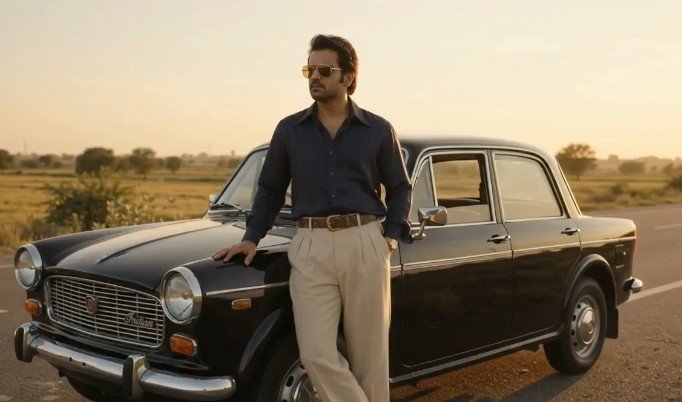
There is a distinct, magnetic charm to 1980s cinema across the subcontinent. From the golden-hour flares bouncing off chrome bumpers to wide-collared silk shirts and pleated trousers, the era carried an effortless swagger that digital video rarely captures natively.
If you have tried using generative AI tools to recreate this aesthetic, you have likely run into the classic pitfalls: faces morphing unpredictably, modern cars showing up in the background, or an overly digital, plastic sheen ruining the vintage illusion.
This guide breaks down a battle-tested 1980s Retro AI Video Prompt designed specifically for high identity fidelity, authentic period-accurate vehicle modeling (like the Premier Padmini or HM Ambassador), and true-to-era 35mm film simulation.
The Master AI Prompt: 1980s Retro Indian Cinema
Copy and paste the exact master prompt below into your preferred video generation tool (such as Google Flow, Kling AI, Luma Dream Machine, or Runway Gen-3):
⚡ AI PROMPT
Anatomy of the Prompt: Why This Structure Works
When prompting modern multimodal AI models, vague aesthetic terms like “vintage vibe” lead to generic, inconsistent output. This prompt relies on four specific anchors to maintain control:
1. Hard Identity Constraints
- Phrase:
strictly preserving the exact facial identity and gender of the subject in the photo - Why it matters: AI video engines tend to drift toward generic catalog faces when interpreting period costume prompts. Explicitly tying the subject’s gender and biometric identity to the input reference image prevents facial reconstruction errors.
2. Period-Accurate Cultural Assets
- Phrase:
pristine black Premier Padmini Deluxe or classic HM Ambassador Mark IV with polished chrome accents - Why it matters: Generative models default to American muscle cars (like a 1980 Mustang or Chevy) if you simply request an “80s car.” Calling out the Premier Padmini or Ambassador forces the model to draw from authentic regional automotive datasets.
3. Textural Wardrobe Specifics
- Phrase:
dark navy wide-collared silk-blend button-down shirt tucked into high-waisted pleated beige trousers - Why it matters: Broad prompts like “80s clothes” often produce garish neon aerobics gear. Naming textures (silk-blend, brass, pleated fabric) grounds the output in a grounded, premium aesthetic.
4. Optical Camera Mechanics
- Phrase:
Shot on authentic 35mm motion picture film with warm vintage color grading... subtle slow-zoom shot - Why it matters: Dictating the medium (35mm motion picture stock) instructs the model to introduce natural organic halation, soft contrast curves, and subtle grain rather than crisp, over-sharpened 4K digital edges.
Step-by-Step Workflow: Achieving Zero Facial Drift
To get production-ready results that maintain your exact likeness across every frame, follow this generation pipeline:
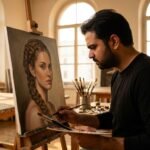
Step 1: Prepare the Reference Image
- Use an unedited, high-resolution portrait or half-body shot.
- Ensure neutral, soft lighting on the face (avoid harsh shadows or heavy beauty filters).
- Front-facing or a subtle 3/4 turn works best for facial recognition encoders.
Step 2: Configure Generation Parameters
- Aspect Ratio: Choose 16:9 for cinematic landscape viewing, or 9:16 if your primary destination is Instagram Reels or YouTube Shorts.
- Motion Strength / Intensity: Set between 3 and 5 (on a 1–10 scale). High motion often causes the car’s chrome geometry and sunglasses to warp. A subtle slow-zoom keeps the render stable.
- Camera Path: Keep the movement constrained to a slow push-in or gentle tracking pan.
Step 3: Post-Production Finishing Touches
Even the best AI video generators benefit from minor post-processing in CapCut, DaVinci Resolve, or Premiere Pro:
- Audio Design: Layer an analog synth bassline or a vintage 80s Bollywood instrumental, overlaid with ambient highway wind noise.
- Grain Layer: Add a 35mm fine-grain overlay at 8% opacity with an “Overlay” or “Soft Light” blending mode to blend any lingering AI micro-artifacts.
- Color Balance: Slightly warm the midtones and push highlights toward a soft golden-yellow to complete the golden-hour aesthetic.