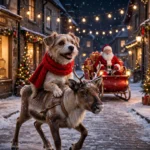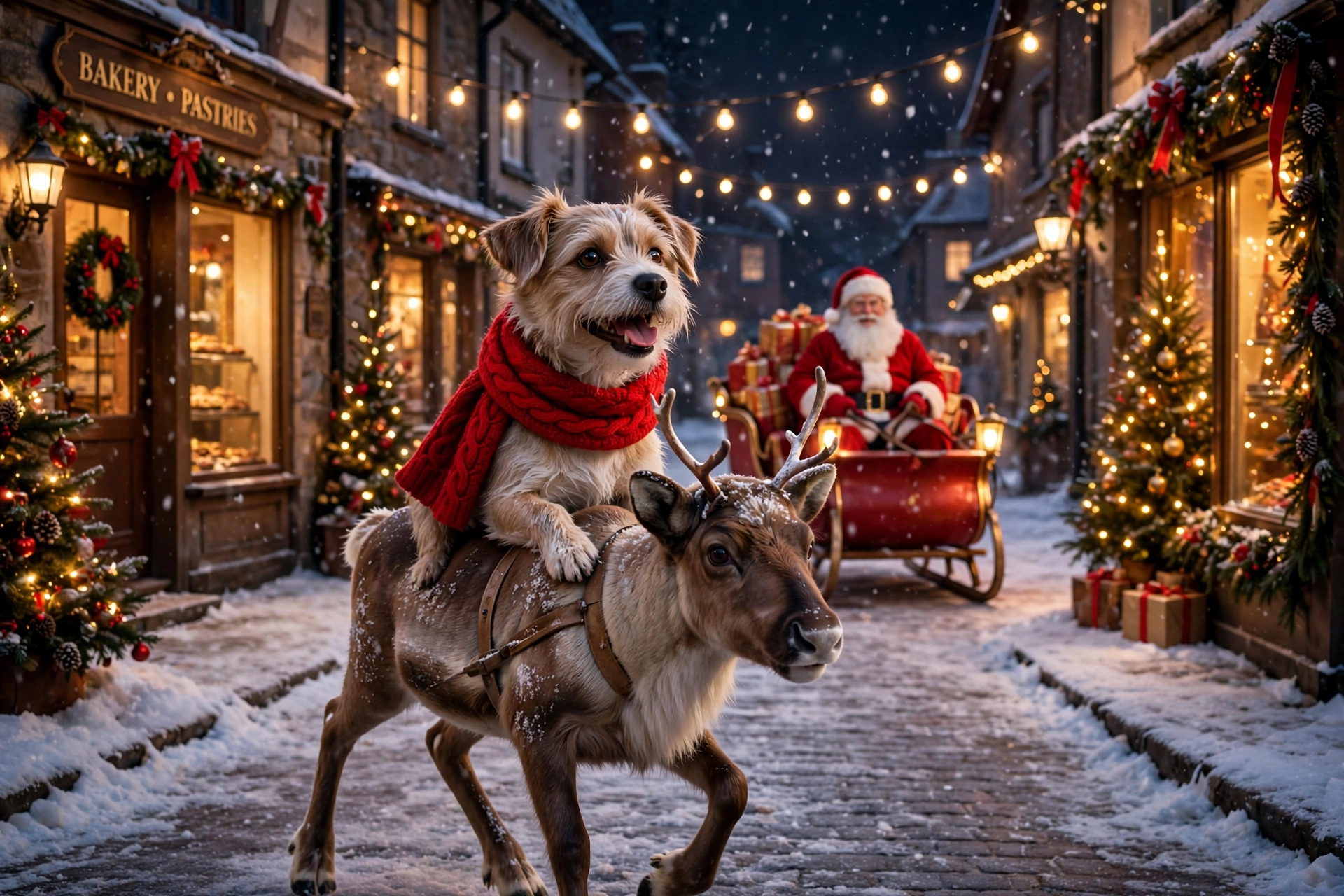
The Christmas video taking over every feed right now starts with a single photo: the rider sits on a young reindeer, trotting down a snowy street at night, and Santa follows right behind in his sleigh. The first tutorials of this trend pulled in hundreds of thousands of views within days, and the big December wave hasn’t even started yet — which means posting yours early is the whole game.
It works with your own photo, your kid’s photo (with the usual common sense about posting children), or your pet’s — the pet versions honestly get shared the most. One clear photo in, one short magical clip out. Here’s the exact prompt structure, plus the shorter version for free tools.
What you need
- One clear, full-body photo of the rider — you, your child, or your pet — face visible, standing or sitting upright
- An AI video tool that animates a photo (Kling, Runway, Veo or a similar image-to-video tool)
- The Instagram or TikTok app for the trending Christmas audio — you’ll add the sound there at the end
Full-body matters here. A head-and-shoulders selfie leaves the tool guessing about legs and posture, and the ride wobbles. A standing photo with the whole body in frame rides clean.
The master prompt
Paste this with your photo in your video tool. The rider description automatically follows your uploaded photo — don’t add a second description of the person or pet.
Create a photorealistic Christmas video from the uploaded photo, vertical 9:16, about 9 seconds. Use ONLY the rider from the uploaded photo — same face, same features, same colours and markings if it is a pet. The rider sits upright on the back of a young reindeer. Scene 1 (0–3s): the reindeer starts trotting down a snowy town street at night, string lights and lit Christmas trees on both sides, gentle snowfall, the rider looks at the camera and smiles. Scene 2 (3–6s): steady trot past warm shop windows, the rider holds on happily, snowflakes drifting through the light. Scene 3 (6–9s): Santa Claus appears behind them in a glowing red sleigh full of gifts, waving as he follows; the rider laughs and looks back at him. Camera: smooth tracking shot at rider height, slight push-in, cinematic real-movie look. Strict rules: use only the uploaded photo’s rider — no face change, no age change, no species change, no extra riders, no extra people in focus, no text, no captions, no watermark, no lip-sync, no dialogue.
Short version for free tools (when the prompt box is tight):
Animate the uploaded photo: the rider sits on a young reindeer trotting down a snowy street at night with Christmas lights and falling snow, Santa following behind in his red sleigh waving. Vertical 9:16, photorealistic. Same rider as the photo only — no face change, no extra people, no text, no watermark.
How to do it
- Choose the rider photo. Full body, looking at the camera, nothing covering the face. For pets, a sitting or standing shot with ears and markings clear works best.
- Open image-to-video in your tool and upload the photo as the first frame or reference image.
- Paste the master prompt and set the duration to around 9–10 seconds and the format to 9:16 before generating.
- Watch the rider, not the street. Snow and sleighs almost always render well. What you’re checking is the face: if it morphs between seconds 1 and 9, regenerate — don’t accept a near-miss on a face video.
- Generate a second take if the budget allows. The difference between a good and a great version is usually Santa’s timing in scene 3. Pick the take where he arrives late and clear.
- Add the trending audio inside Instagram or TikTok. AI video tools don’t add the song everyone is riding to — open the editor, search the Christmas sound from any version of this trend you’ve seen, and lay it over your clip before posting.
Fixes for the usual problems
The reindeer looks like a horse with sticks. Young reindeer trip up a lot of models. Add “young reindeer with small antlers and a light brown coat” to scene 1 and the anatomy usually settles.
Santa never shows up. Some tools quietly drop the third scene. Shorten scene 2’s job by writing “Santa’s sleigh enters the frame by second 6” — a hard timestamp beats a polite request.
The ride is too fast or bouncy. Add “slow gentle trot, smooth camera, no bouncing.” Motion words in the prompt are the speed dial; without them the model picks its own chaos level.
My pet turned into a different animal halfway. That’s a reference-strength issue. Use a sharper, closer photo of the pet, and repeat “same markings, same colours” in the prompt — markings are what the model holds onto.
More prompts people are copying right now
The hub updates daily — these three are climbing fastest:
- All latest viral prompts in one place
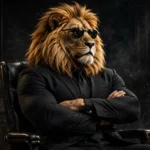
- Sheru Bhai AI photo editing prompts — the lion-man boss portrait
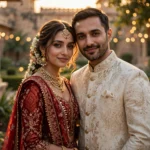
- Viral Dil Ruba AI video prompt — romantic slow-motion reel
- Professional headshot prompts — a LinkedIn-ready studio portrait
Frequently asked questions
When should I post my reindeer ride video?
Now. The trend started in late October, tutorials are pulling huge views, and the December crowd hasn’t arrived yet. A good version posted in November rides the whole season instead of fighting for scraps in the last week before Christmas.
Can I use my pet instead of a person?
Yes — and pet versions often outperform. Any clear photo of your dog or cat works; the prompt keeps their exact markings. Just make sure the photo shows the whole body so the sitting pose renders naturally.
Why did the face change halfway through my video?
Long generations drift. Keep the clip near 9 seconds, use the sharpest photo you have, and repeat the “same face” rule in the prompt. If it still drifts, generate two takes and post the steadier one.
Where does the Christmas music come from?
Not from the AI tool — it generates silent video. Add the trending Christmas audio inside the Instagram or TikTok editor when you post; using the same sound as the big versions is part of how the trend spreads.